InsightFace 1.0 가이드: 로컬 얼굴 인식, 데스크톱 GUI, 엔터프라이즈 평가
더 가벼워진 InsightFace 1.0 package를 설치하고, 크로스 플랫폼 Evaluation Studio에서 로컬 얼굴 인식, 앨범 정리, identity-folder dataset 평가, face swap 시험, 모델 라이선스와 개인정보 경계를 확인합니다.
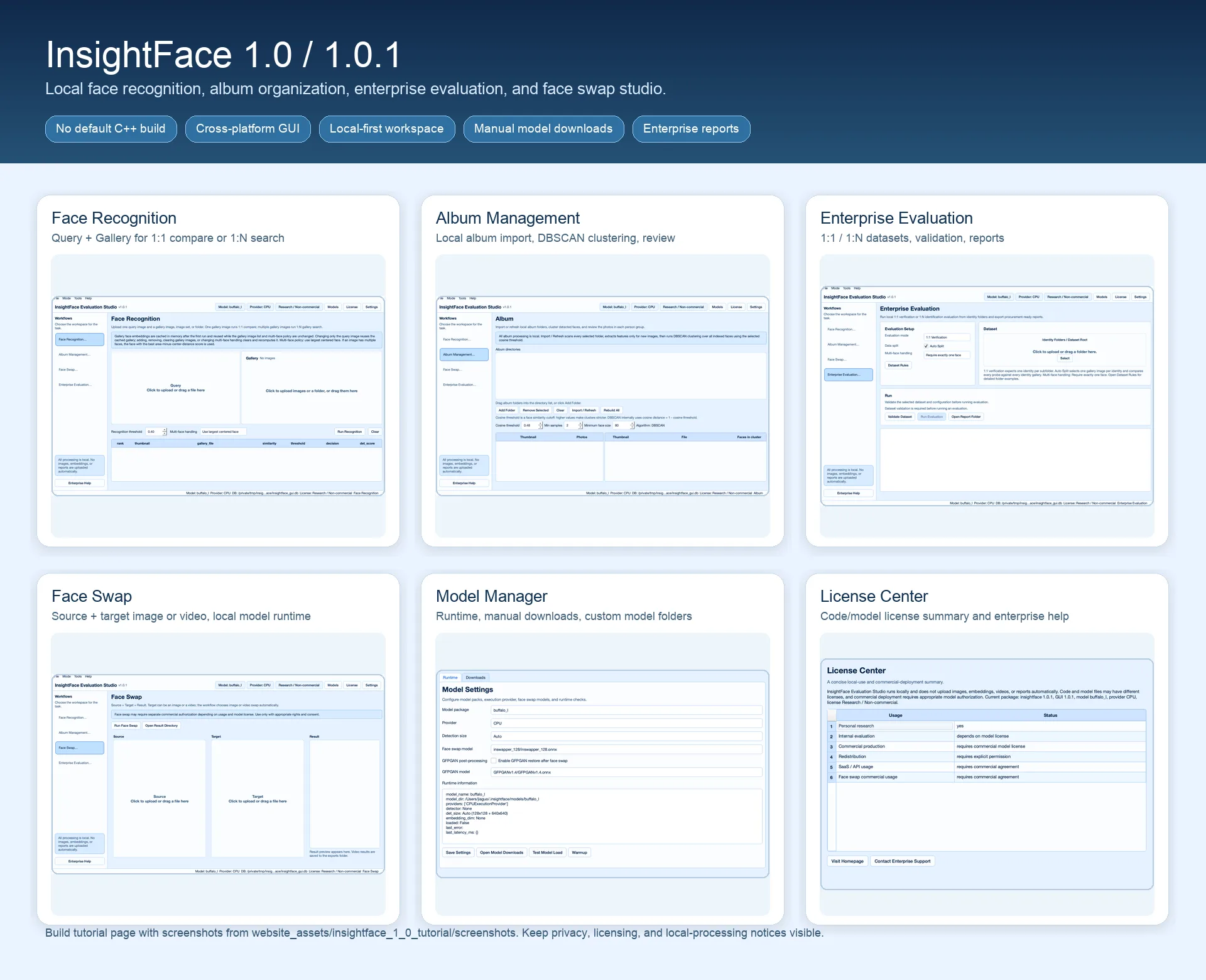
이 가이드에서 구축할 내용
InsightFace 1.0은 익숙한 Python FaceAnalysis API를 유지하면서 base package를 더 가볍게 만들었습니다. 선택 사항인 face3d Cython/C++ extension은 더 이상 기본으로 빌드되지 않으므로 대부분의 사용자는 로컬 compiler toolchain 없이 core package를 설치할 수 있습니다.
이번 릴리스에는 package extra로 설치하는 크로스 플랫폼 PySide6 데스크톱 GUI, InsightFace Evaluation Studio도 포함됩니다. 개발자, 연구자, 엔터프라이즈 평가자는 로컬 workspace에서 face recognition, album clustering, dataset evaluation, face swap trials를 수행할 수 있습니다.
1.0 버전은 일부 불필요한 의존성도 제거했습니다.
시작하기 전에
- Python 3.9+와 virtual environment. 데스크톱 dependency를 허용할 수 있는 머신에서만 GUI extra를 사용하세요.
- 로컬 model cache 또는 InsightFace model directory에 model packs를 다운로드할 권한.
- 테스트하려는 workflow에 맞는 대표 이미지 또는 identity-folder datasets.
- Biometric data 처리나 face swap 실험 전에 consent, retention, deployment authorization 정책을 명확히 하세요.
1. InsightFace 1.0의 주요 변경점
선택 사항인 face3d extension이 기본으로 컴파일되지 않으므로 Python base package 설치가 쉬워졌습니다. 이것은 repository에서 모든 C++ component가 제거되었다는 뜻이 아닙니다. Detection, alignment, recognition만 필요한 사용자가 기본 설치에서 compiler cost를 부담하지 않아도 된다는 뜻입니다.
새 GUI demo는 별도 desktop installer가 아니라 optional extra로 제공됩니다. 데스크톱 경험이 필요하면 insightface[gui]를 설치하고 macOS, Windows, Linux command line에서 실행하세요.
- Face Recognition mode: 하나의 query image와 하나 또는 여러 gallery images로 1:1 verification 또는 로컬 1:N search를 실행합니다.
- Album Management mode: 로컬 folders를 import하고 features를 추출한 뒤 DBSCAN으로 얼굴을 cluster하고 사람 그룹을 검토합니다.
- Enterprise Evaluation mode: identity folders 기반 로컬 1:1 및 1:N evaluation, validation, metrics, report output을 제공합니다.
- Face Swap mode: 호환 swap model이 설정된 경우 source plus target workflow로 이미지 또는 비디오 trial을 실행합니다.
- Models, License, Settings dialogs: runtime provider, model roots, manual downloads, authorization status, theme, language를 제어합니다.
2. 더 가벼운 Python package 설치
Python services, notebooks, command-line experiments에서는 base package부터 시작하세요. 전체 desktop stack을 설치하지 않고도 FaceAnalysis API와 기본 모델 동작을 유지합니다.
최소 smoke test는 FaceAnalysis app을 생성하고 CPU에서 prepare한 뒤, default buffalo_l model이 InsightFace cache에 있으면 로드하고 face boxes, landmarks, 512-dimensional recognition embeddings를 반환해야 합니다. 기본 detector는 SCRFD이며 default detection size는 Auto: 128x128 plus 640x640입니다.
pip install insightfaceimport insightface
from insightface.app import FaceAnalysis
from insightface.data import get_image
app = FaceAnalysis(providers=["CPUExecutionProvider"])
app.prepare(ctx_id=-1)
faces = app.get(get_image("t1"))
print(len(faces), faces[0].embedding.shape)3. GUI demo 설치 및 실행
데스크톱 Evaluation Studio가 필요할 때만 GUI dependencies를 설치하세요. GUI workspace 기본값은 ~/.insightface/gui이며 local settings, indexes, thumbnails, generated reports, saved results를 project code와 분리해 보관할 수 있습니다.
모델이 없어도 GUI는 열릴 수 있어야 합니다. Models dialog에서 model URLs를 refresh하고, model packs를 수동 다운로드하고, ONNX Runtime providers를 선택하거나 custom model directory를 지정할 수 있습니다.
- GUI는 모델을 자동 다운로드하지 않습니다.
- Images, videos, embeddings, thumbnails, reports는 기본적으로 로컬에서 처리되며 자동 업로드되지 않습니다.
- 이 가이드의 screenshots는 영어 화면이지만 GUI app은 여러 언어를 지원합니다. Settings에서 interface language를 변경할 수 있습니다.
- PySide6와 GUI-only dependencies가 server deployment에 영향을 주지 않도록 virtual environment를 사용하세요.
pip install "insightface[gui]"
insightface-guiinsightface-eval-studio
insightface-desktop
python -m insightface.gui4. Face Recognition mode 실행
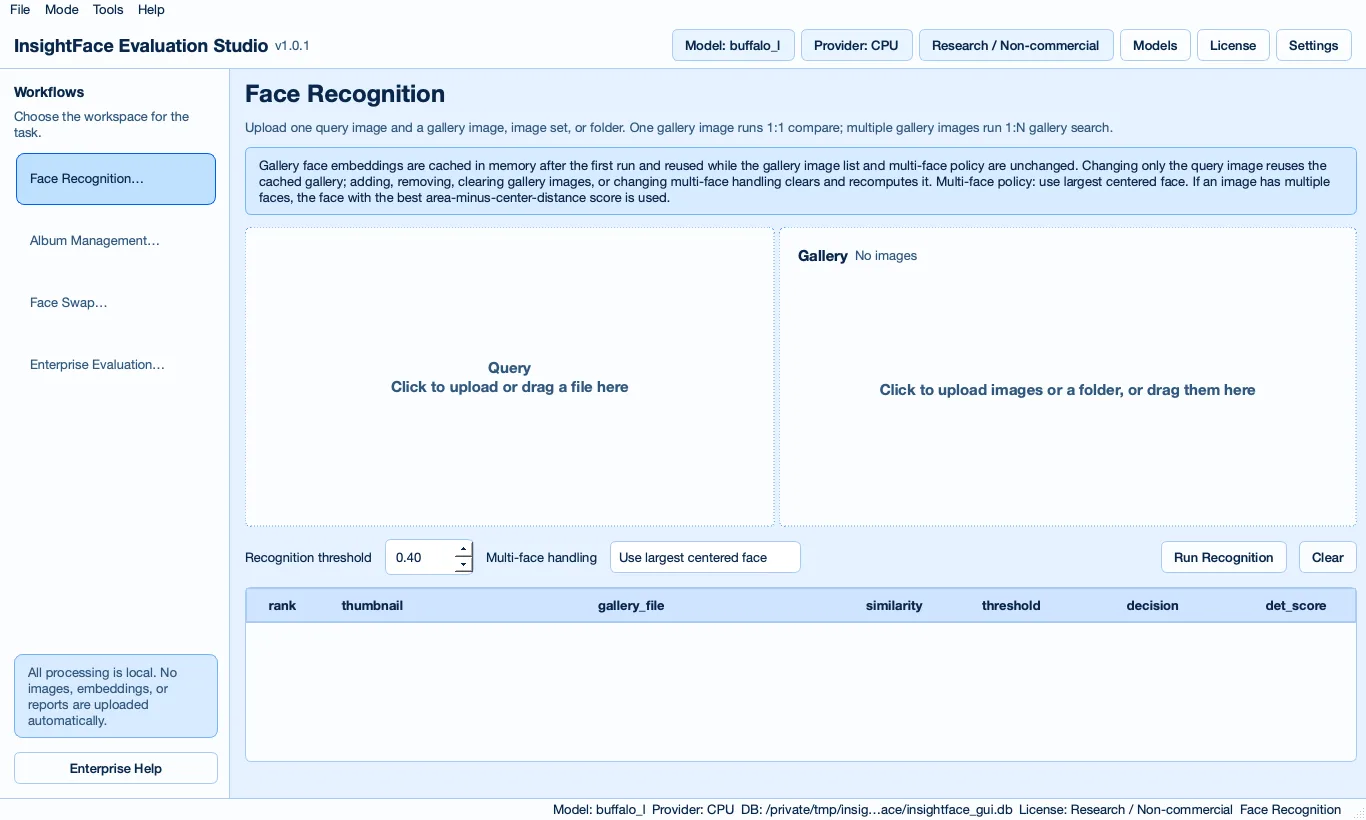
코드를 작성하지 않고 identity matching을 빠르게 테스트하려면 Face Recognition mode를 사용하세요. 하나의 query image를 업로드하고 gallery image 하나를 추가하면 1:1 comparison, 여러 gallery images와 folders를 추가하면 로컬 1:N search가 됩니다.
Gallery embeddings는 gallery가 변경될 때까지 memory에 cache됩니다. 이미지에 얼굴이 여러 개 있으면 테스트에 맞는 multi-face handling policy를 선택하세요. 실무 기본값은 largest centered face입니다. Production thresholds는 자체 validation data에서 선택해야 하므로 recognition threshold는 보이고 조정 가능해야 합니다.
5. Album Management로 로컬 사진 정리
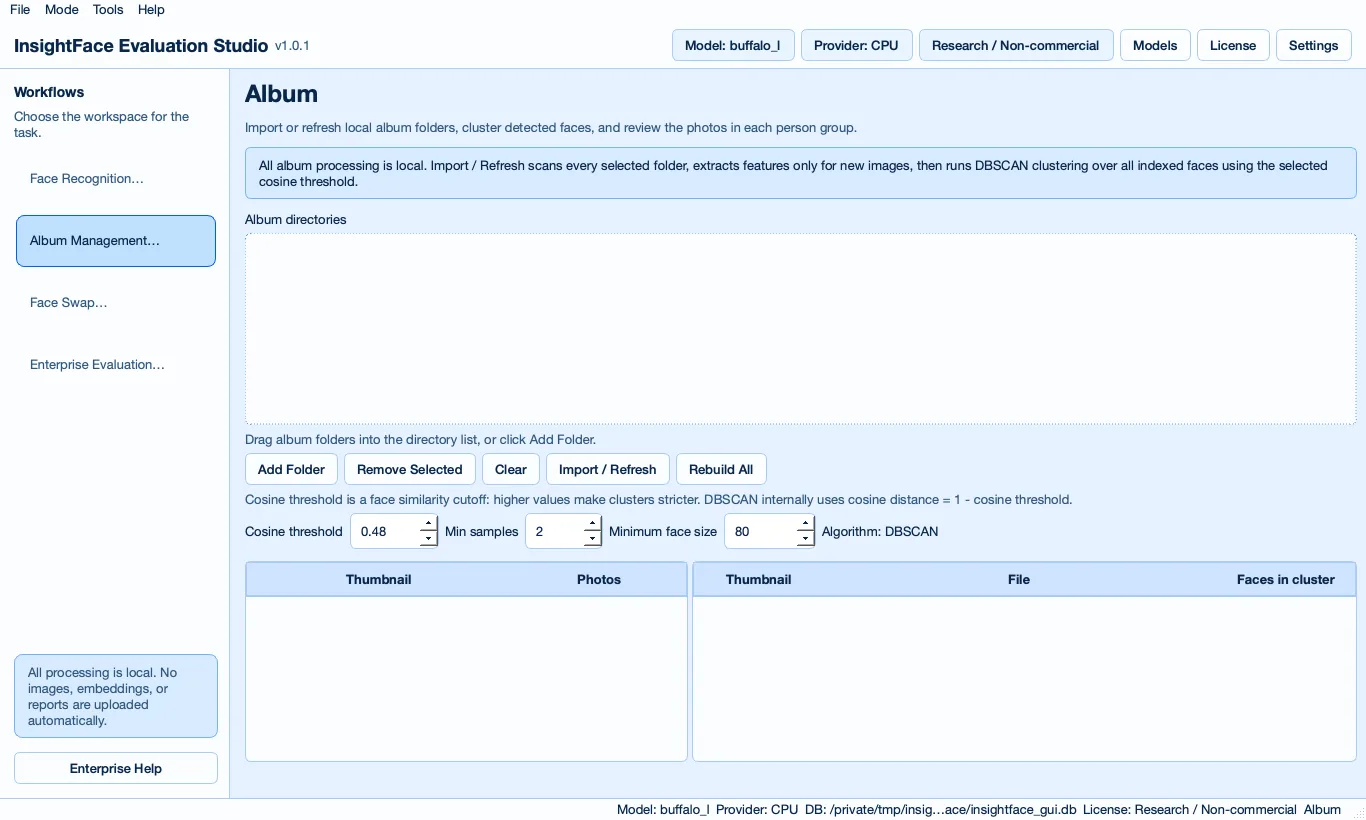
Album Management는 로컬 smart photo organizer로 설계되었습니다. 하나 이상의 local album directories를 추가하고 Import / Refresh를 실행해 folders를 다시 스캔하고 새 이미지의 features를 추출합니다. Rebuild All은 indexed features를 지우고 clusters를 처음부터 다시 계산합니다.
Clustering workflow는 cosine similarity threshold를 사용하는 DBSCAN 기반입니다. Face thumbnails와 photo thumbnails는 compressed WebP blobs로 로컬 SQLite에 저장되며, cluster를 선택하면 해당 사람 그룹의 original photos를 볼 수 있습니다.
6. 엔터프라이즈 datasets 로컬 평가
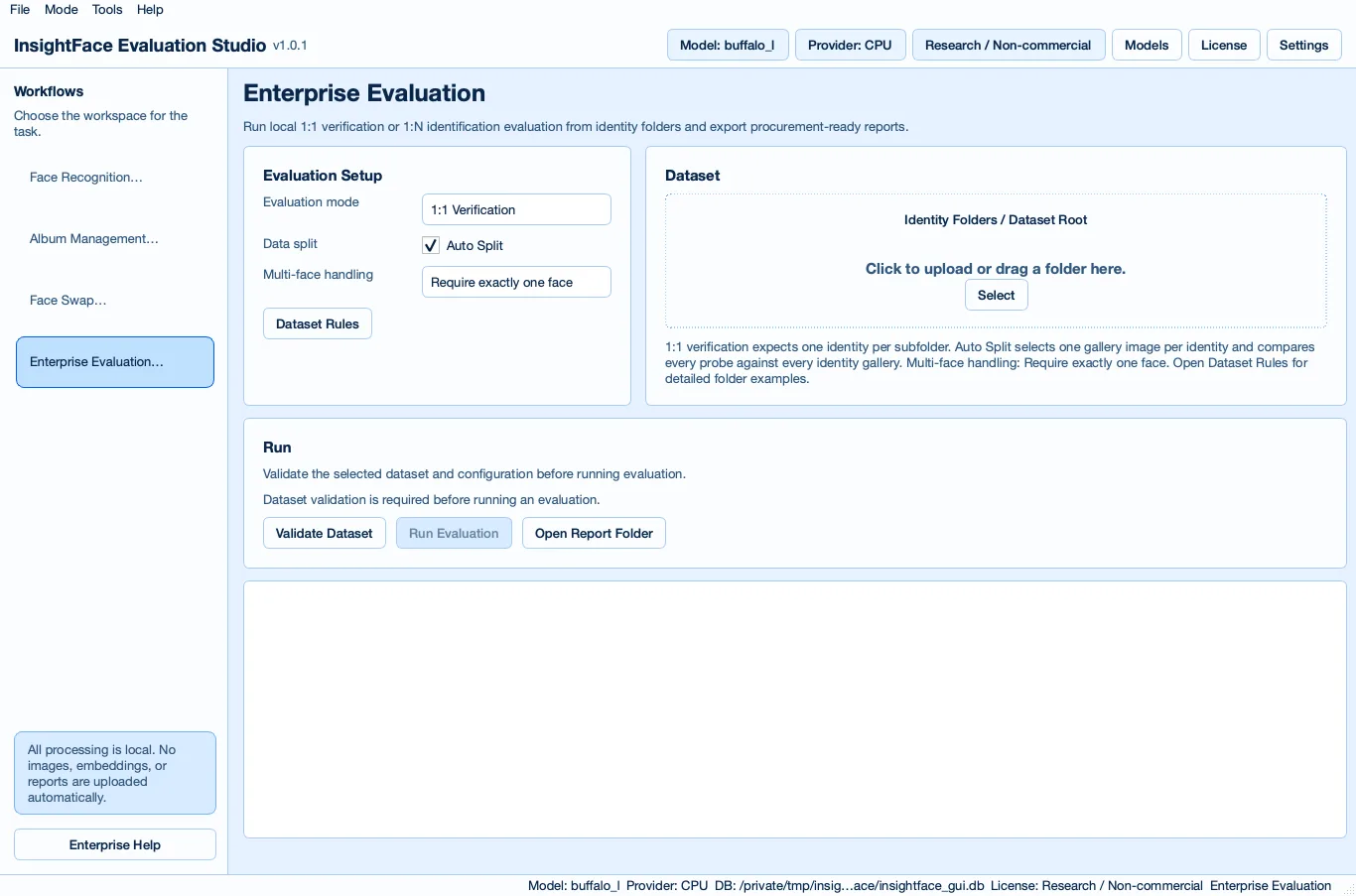
Enterprise Evaluation mode는 deployment 또는 procurement decision 전에 자체 데이터로 InsightFace를 테스트하도록 돕습니다. Identity folders에서 1:1 및 1:N evaluation을 지원하며, dataset이 미리 분리되지 않은 경우 Auto Split이 각 identity folder에서 gallery/probe splits를 만들 수 있습니다.
Metrics를 실행하기 전에 dataset validation으로 layout problems와 critical face validity issues를 확인하세요. Reports에는 model/runtime, dataset summary, thresholds, best-threshold accuracy, Top-1, sample counts가 허용할 때의 TAR@FAR, errors, latency, license status, responsible-use notes, recommended next steps가 포함되어야 합니다.
- Controlled open-set 1:N evaluation이 필요하면 명시적인 gallery, probe, unknown folders를 사용하세요.
- 초기 exploration에는 Auto Split을 사용하고, 모델 비교 전 dedicated test split을 freeze하세요.
- Reports는 로컬에서 생성되며 자동 업로드되지 않습니다.
dataset_1n/
  gallery/
    0001__Alice/
      enroll_001.jpg
      enroll_002.jpg
    0002__Bob/
      enroll_001.jpg
  probe/
    0001__Alice/
      test_001.jpg
    0002__Bob/
      test_001.jpg
  unknown/
unknown_001.jpgdataset/
identities/
0001__Alice/
img001.jpg
img002.jpg
img003.jpg
0002__Bob/
img001.jpg
img002.jpg7. Face Swap mode는 신중하게 시험
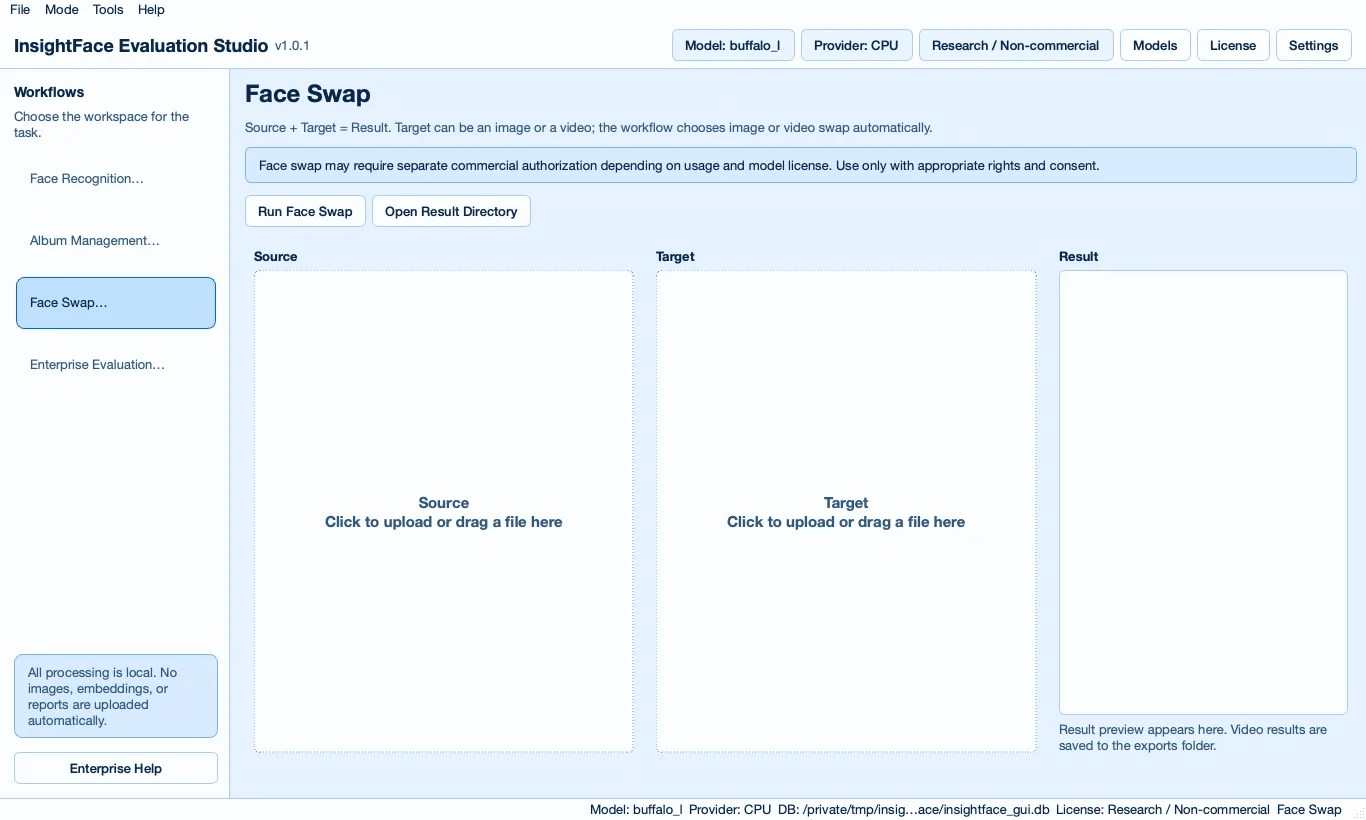
Face Swap mode는 로컬 source plus target workflow입니다. Target은 이미지 또는 비디오가 될 수 있고, 설정된 swap model은 swap 실행 시에만 로드되며, 생성 결과는 local workspace에 저장됩니다.
Third-party model을 다운로드한 뒤 optional GFPGAN post-processing을 활성화할 수 있습니다. Face swap trials는 별도의 authorization path로 다루세요. Source identities를 사용하거나 generated output을 공개하기 전에 적절한 권리, 동의, model permission이 필요합니다.
8. 모델, 설정, 라이선스, 개인정보 구성
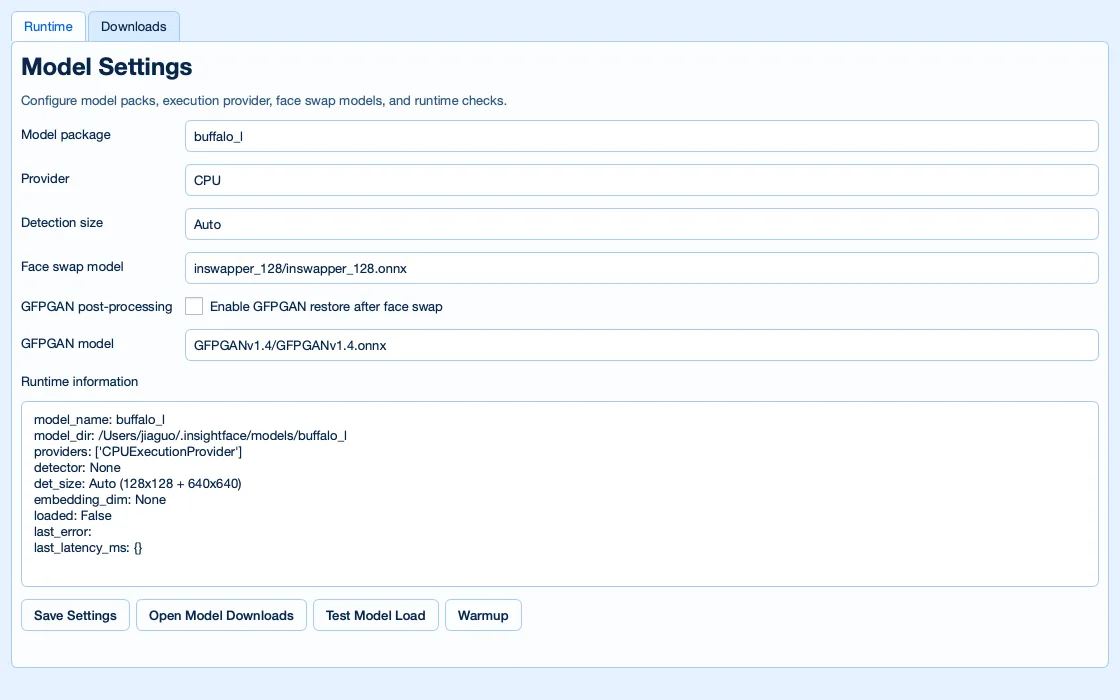
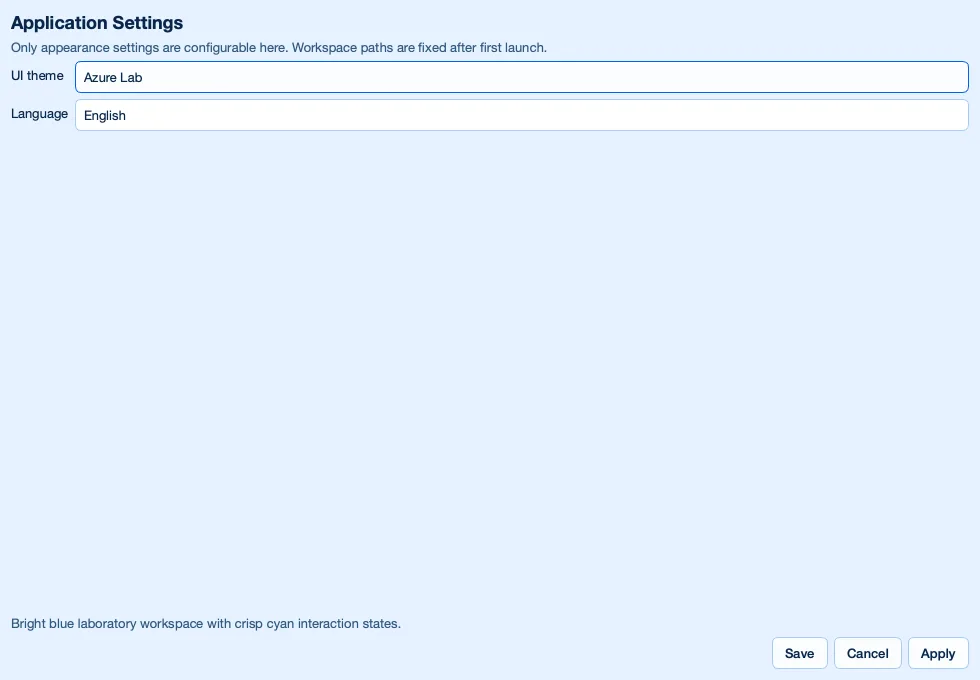
Models에서는 runtime model, provider, detection size, swap model, GFPGAN setting, download location, custom model root를 선택합니다. 평가자는 여기서 commercial 또는 private model artifacts를 public model packs와 분리해 관리할 수 있습니다.
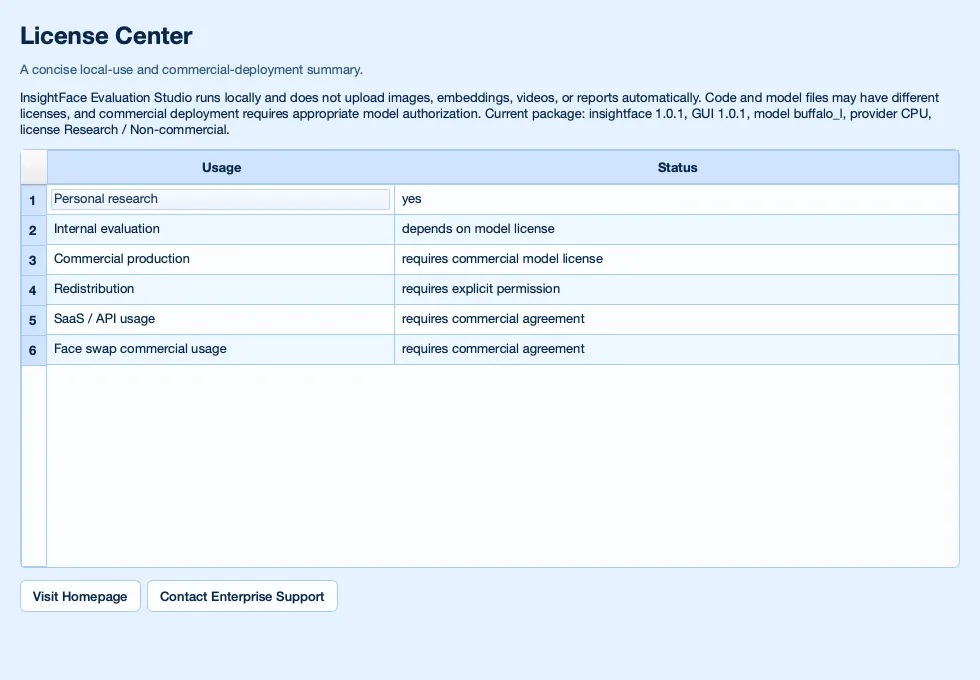
License에서는 code licenses와 model licenses의 차이를 확인합니다. Model files는 package code와 다른 권리를 가질 수 있으며 commercial deployment에는 올바른 model authorization이 필요합니다. InsightFace 1.0.1은 PyPI package metadata license field를 제거하지만 README license guidance는 계속 읽어야 할 출처입니다.
모든 처리는 기본적으로 로컬입니다. Images, videos, embeddings, reports는 자동 업로드되지 않습니다. 사용자는 consent, privacy, retention, 적용 가능한 biometric regulations compliance에 책임이 있습니다. 이 가이드는 practical product documentation이며 legal advice가 아닙니다.
9. 상용 배포 다음 단계
Commercial model licensing, private model evaluation, SDK/API access, SLA commitments, on-prem delivery, custom training이 필요하면 InsightFace에 문의하세요. Evaluation Studio는 초기 technical screening에 유용하지만 production authorization은 model, data, use case, deployment contract에 따라 결정됩니다.
- Open-source packs는 license scope 내에서 experiments, prototypes, 허용된 deployments에 사용하세요.
- 자체 identity-folder datasets에서 더 강한 commercial recognition models를 비교해야 하면 private evaluation을 사용하세요.
- GUI 사용 가능성을 model commercial deployment permission으로 간주하지 마세요. Model authorization은 별도로 확인해야 합니다.