InsightFace 1.0 Tutorial: Local Face Recognition, Desktop GUI, and Enterprise Evaluation
Install the lighter InsightFace 1.0 package, launch the cross-platform Evaluation Studio, run local recognition workflows, organize albums, evaluate identity-folder datasets, and understand model licensing and privacy boundaries.
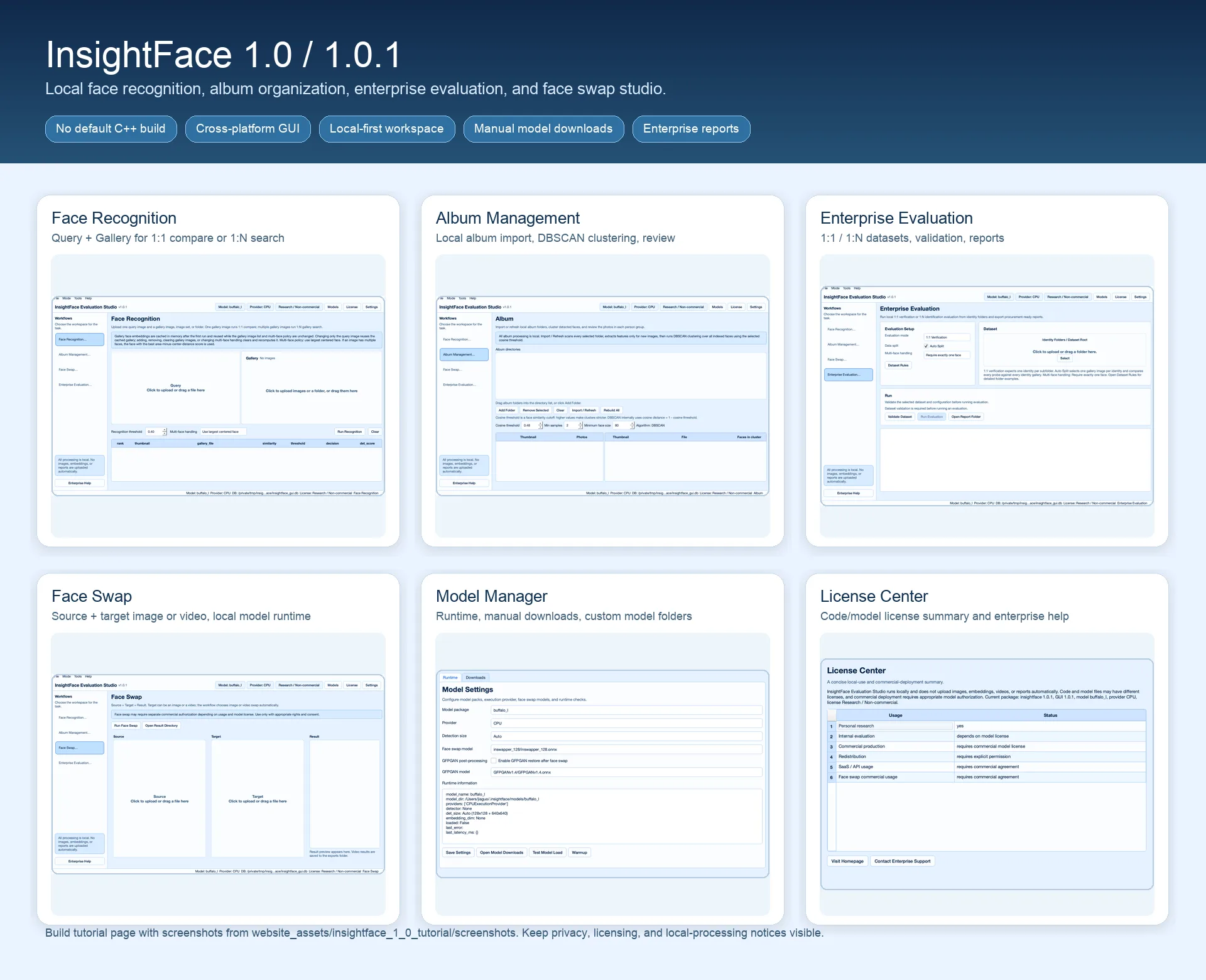
What you will build
InsightFace 1.0 keeps the familiar Python face analysis API while making the base package lighter. The optional face3d Cython/C++ extension is no longer built by default, so most users can install the core package without a local compiler toolchain.
The release also introduces InsightFace Evaluation Studio, a cross-platform PySide6 desktop GUI available through the package extra. It gives developers, researchers, and enterprise evaluators a local workspace for face recognition, album clustering, dataset evaluation, and face swap trials.
InsightFace 1.0 also removes some unnecessary dependencies.
Before you start
- Python 3.9+ with a virtual environment. Use the GUI extra only on machines where desktop dependencies are acceptable.
- A local model cache or permission to download model packs into the InsightFace model directory.
- Representative images or identity-folder datasets for the workflow you want to test.
- Clear consent, retention, and deployment authorization policies before processing biometric data or running face swap experiments.
1. What changed in InsightFace 1.0
The base Python package is now easier to install because the optional face3d extension is not compiled by default. This does not mean every C++ component was removed from the repository; it means users who only need detection, alignment, and recognition do not pay the default compiler cost.
The new GUI demo is delivered as an optional extra, not as a separate desktop installer. Install insightface[gui] when you want the desktop experience, then launch it from the command line on macOS, Windows, or Linux.
- Face Recognition mode: one query image plus one or many gallery images for 1:1 verification or local 1:N search.
- Album Management mode: import local folders, extract features, cluster faces with DBSCAN, and review grouped people.
- Enterprise Evaluation mode: run local 1:1 and 1:N identity-folder evaluation with validation, metrics, and report output.
- Face Swap mode: source plus target workflow for image or video trials when a compatible swap model is configured.
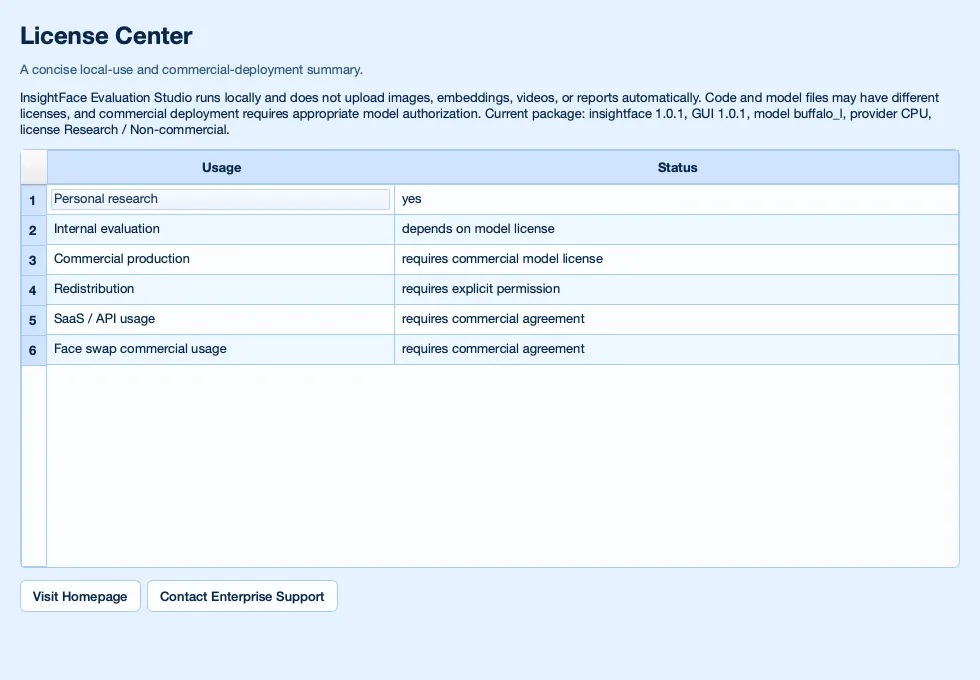
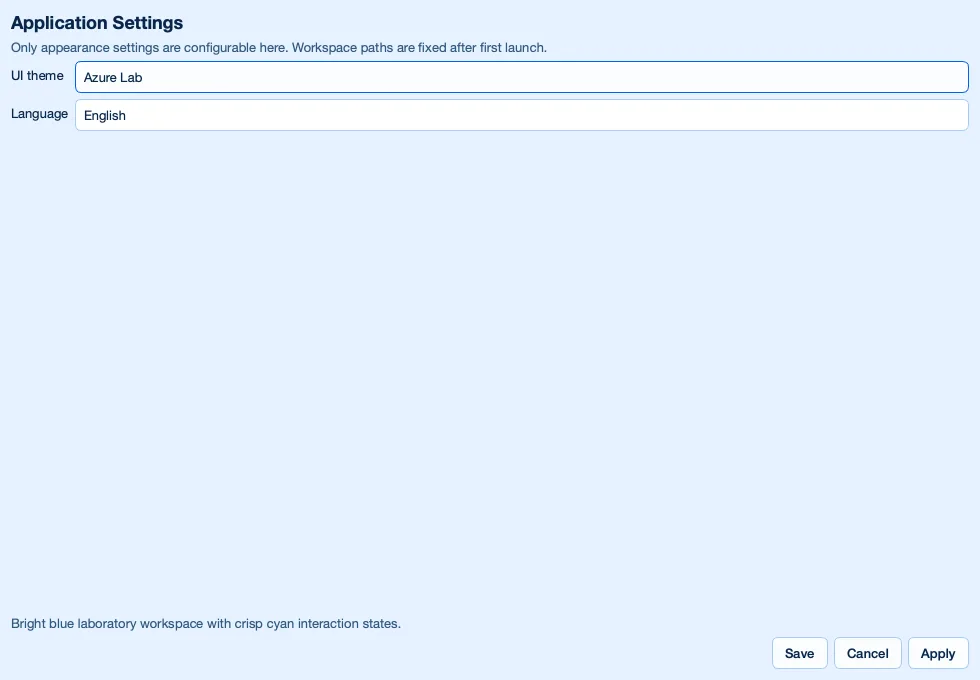
- Models, License, and Settings dialogs: control runtime provider, model roots, manual downloads, authorization status, theme, and language.
2. Install the lighter Python package
For Python services, notebooks, and command-line experiments, start with the base package. It keeps the FaceAnalysis API and default model behavior without installing the full desktop stack.
A minimal smoke test should create a FaceAnalysis app, prepare it on CPU, load the default buffalo_l model if it is already available in the InsightFace cache, and return face boxes, landmarks, and 512-dimensional recognition embeddings. SCRFD detection is used by default, and the default detection size is Auto: 128x128 plus 640x640.
pip install insightfaceimport insightface
from insightface.app import FaceAnalysis
from insightface.data import get_image
app = FaceAnalysis(providers=["CPUExecutionProvider"])
app.prepare(ctx_id=-1)
faces = app.get(get_image("t1"))
print(len(faces), faces[0].embedding.shape)3. Install and launch the GUI demo
Install the GUI dependencies only when you need the desktop Evaluation Studio. The GUI workspace defaults to ~/.insightface/gui, where local settings, indexes, thumbnails, generated reports, and saved results can be kept separate from your project code.
The GUI should still open when models are missing. Use the Models dialog to refresh model URLs, download model packs manually, select ONNX Runtime providers, or point the app to a custom model directory.
- Models are not downloaded automatically by the GUI.
- Images, videos, embeddings, thumbnails, and reports are processed locally by default and are not uploaded automatically.
- The screenshots in this guide are in English, but the GUI app supports multiple languages; switch the interface language from Settings.
- Use a virtual environment so PySide6 and GUI-only dependencies do not affect server deployments.
pip install "insightface[gui]"
insightface-guiinsightface-eval-studio
insightface-desktop
python -m insightface.gui4. Run Face Recognition mode
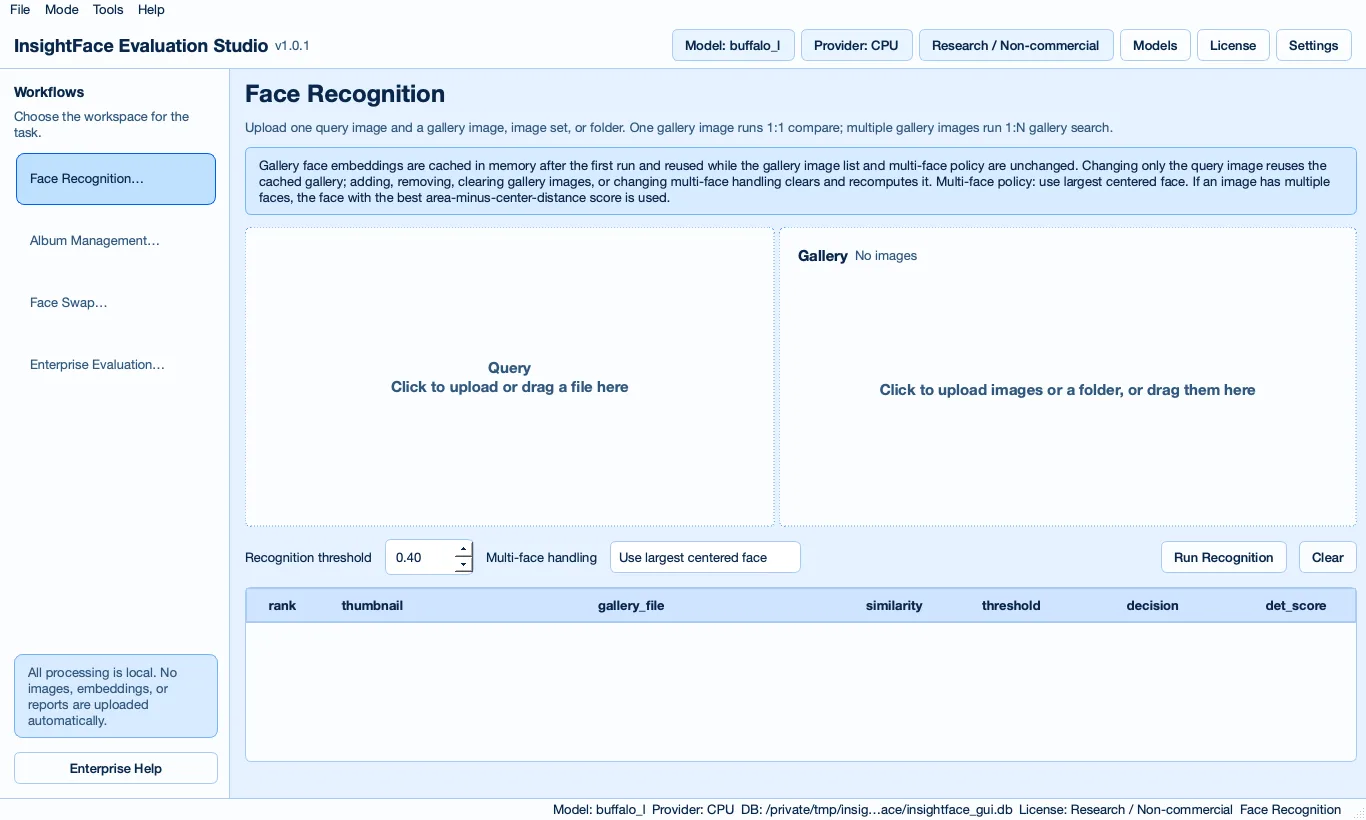
Use Face Recognition mode when you want to test identity matching quickly without writing code. Upload one query image, then add one gallery image for 1:1 comparison or multiple gallery images and folders for local 1:N search.
The gallery embeddings are cached in memory until the gallery changes. When an image contains multiple faces, choose the multi-face handling policy for the test; the practical default is to use the largest centered face. Keep the recognition threshold visible and configurable because production thresholds should be selected on your own validation data.
5. Organize local photos with Album Management
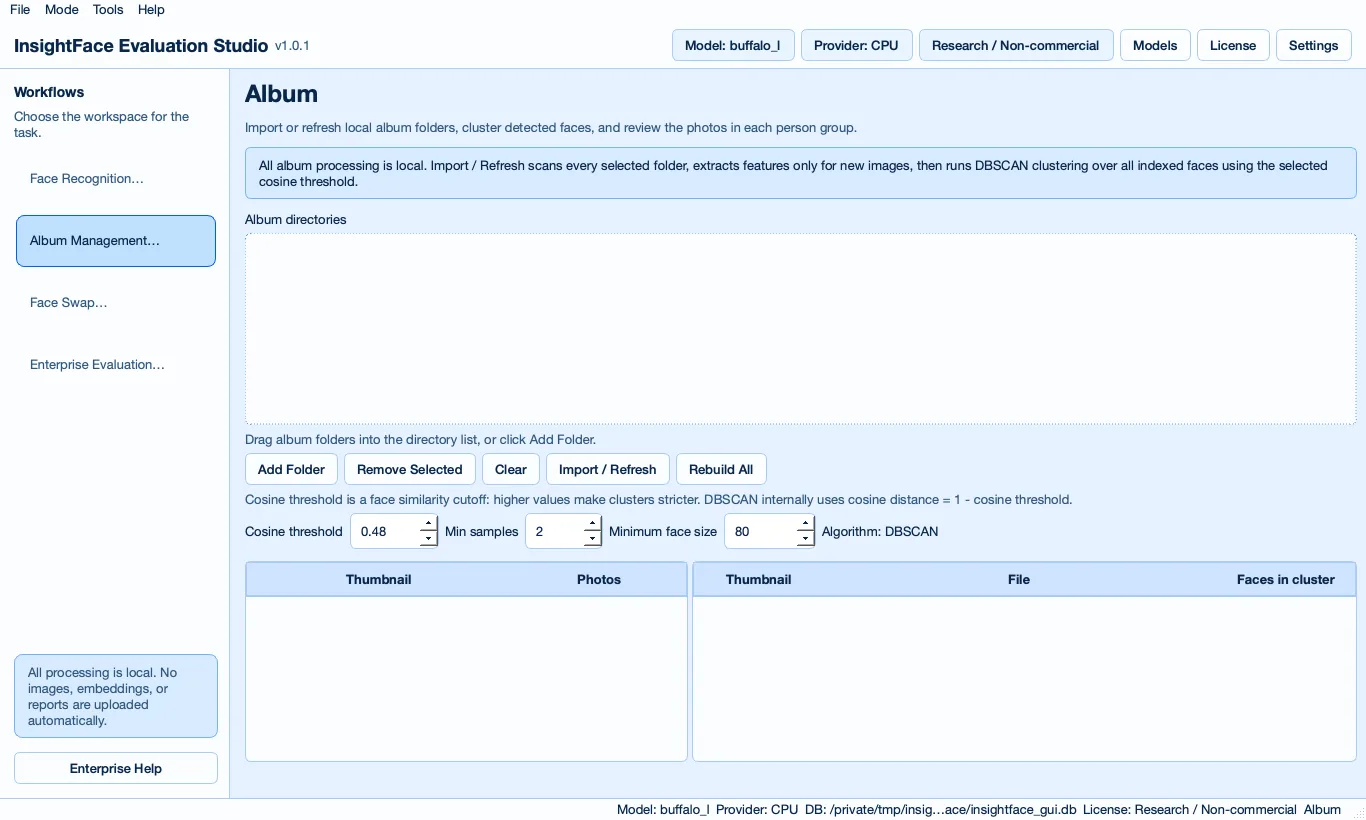
Album Management is designed as a local smart photo organizer. Add one or more local album directories, then run Import / Refresh to rescan folders and extract features for new images. Rebuild All clears indexed features and recomputes clusters from scratch.
The clustering workflow uses DBSCAN with a cosine similarity threshold. Face thumbnails and photo thumbnails are stored locally in SQLite as compressed WebP blobs, and selecting a cluster shows the original photos for that person group.
6. Evaluate enterprise datasets locally
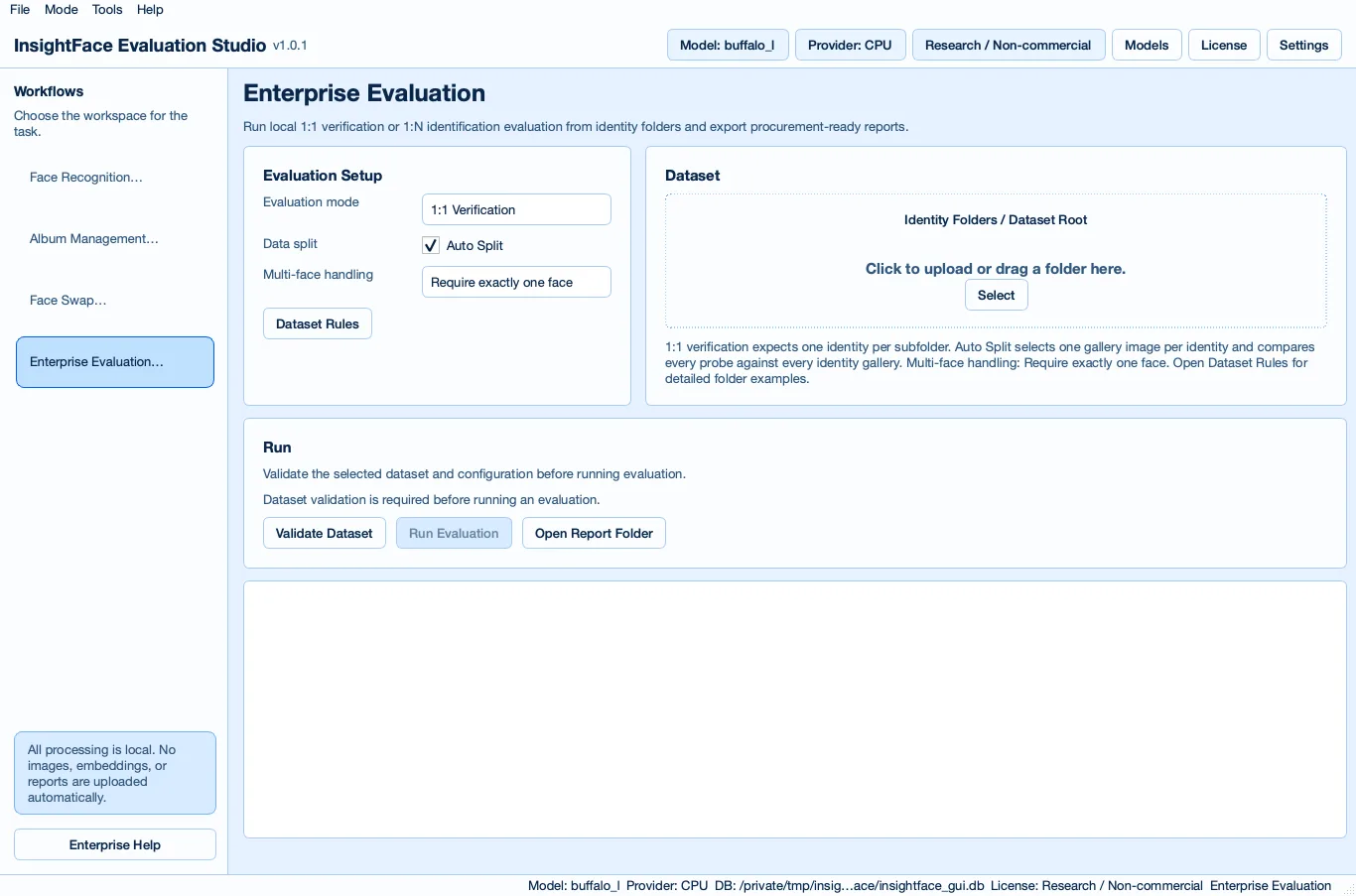
Enterprise Evaluation mode helps teams test InsightFace on their own data before deployment or procurement decisions. It supports 1:1 and 1:N evaluation from identity folders, and Auto Split can derive gallery/probe splits from each identity folder when your dataset has not been separated in advance.
Before running metrics, use dataset validation to catch layout problems and critical face validity issues. Reports should include model and runtime, dataset summary, thresholds, best-threshold accuracy, Top-1, TAR@FAR when sample counts allow, errors, latency, license status, responsible-use notes, and recommended next steps.
- Use explicit gallery, probe, and unknown folders when you need a controlled open-set 1:N evaluation.
- Use Auto Split for early exploration, then freeze a dedicated test split before comparing models.
- Reports are generated locally and are not uploaded automatically.
dataset_1n/
  gallery/
    0001__Alice/
      enroll_001.jpg
      enroll_002.jpg
    0002__Bob/
      enroll_001.jpg
  probe/
    0001__Alice/
      test_001.jpg
    0002__Bob/
      test_001.jpg
  unknown/
unknown_001.jpgdataset/
identities/
0001__Alice/
img001.jpg
img002.jpg
img003.jpg
0002__Bob/
img001.jpg
img002.jpg7. Try Face Swap mode carefully
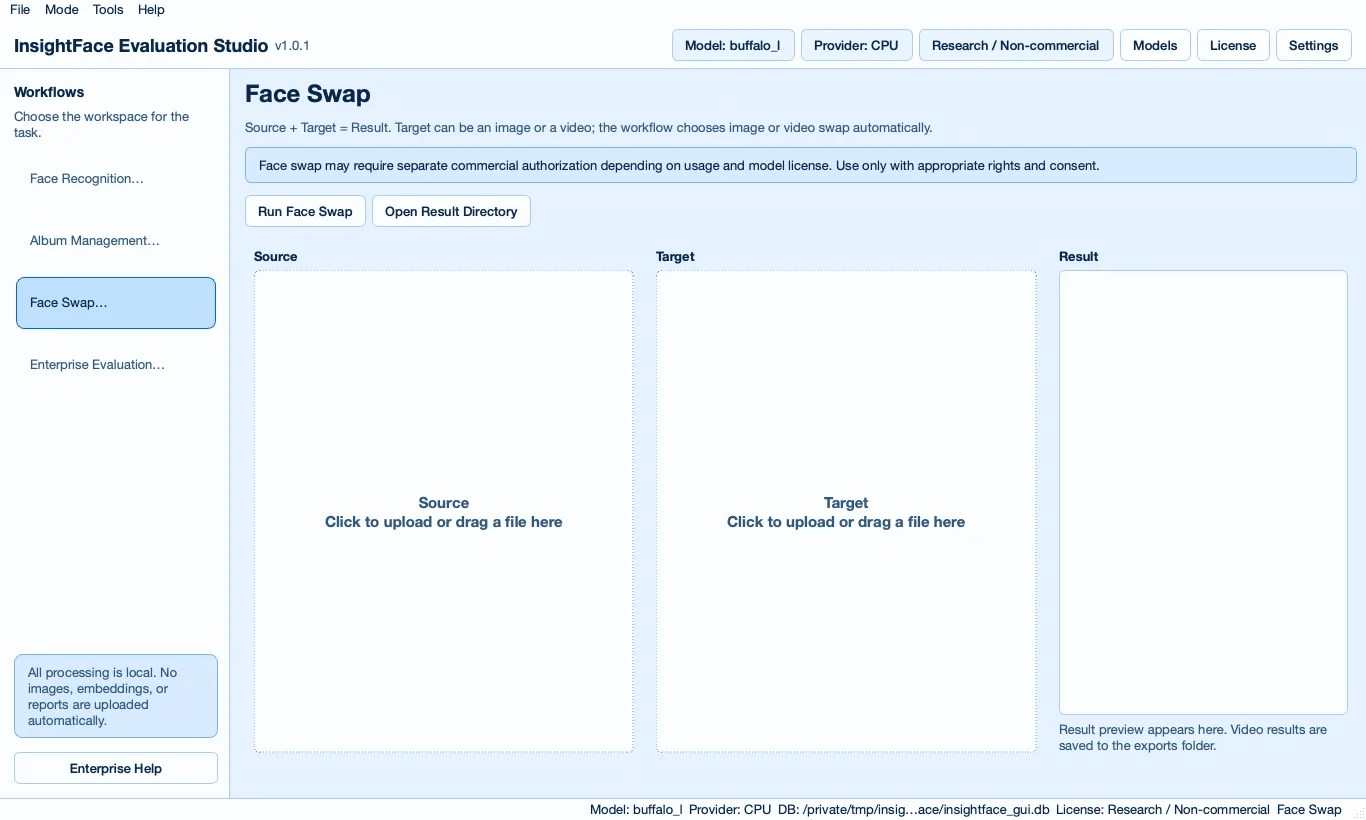
Face Swap mode is a local source plus target workflow. The target can be an image or video, the configured swap model is loaded only when a swap is run, and generated results are saved in the local workspace.
Optional GFPGAN post-processing can be enabled after the third-party model is downloaded. Treat face swap trials as a separate authorization path: you need appropriate rights, consent, and model permission before using source identities or publishing generated output.
8. Configure models, settings, license, and privacy
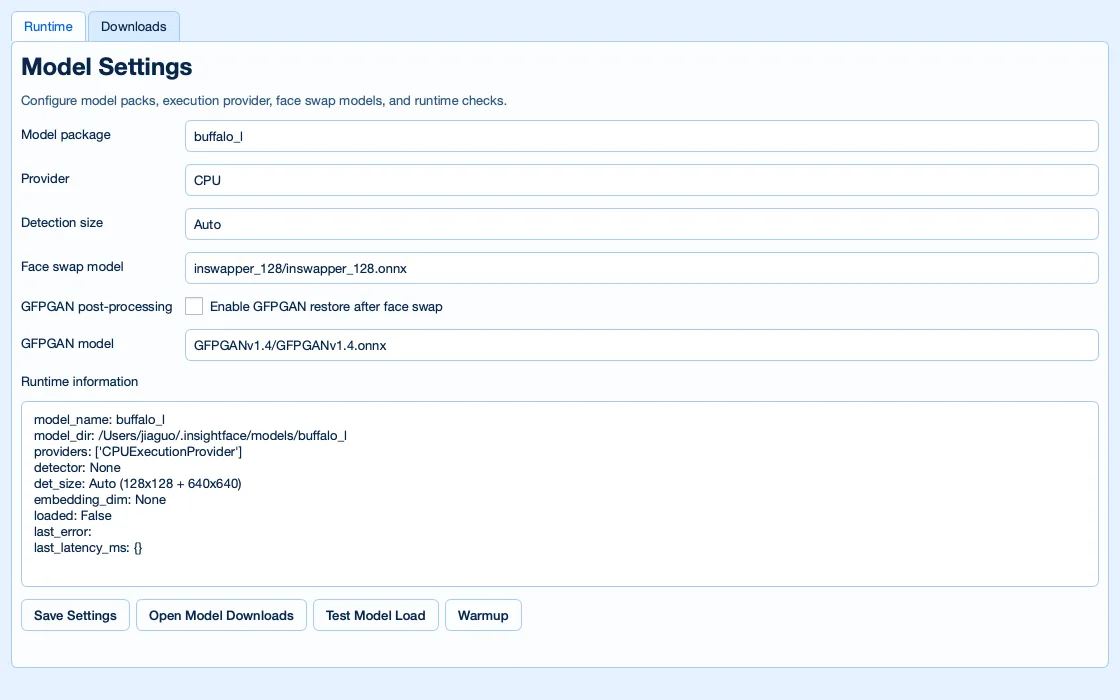
Use Models to choose the runtime model, provider, detection size, swap model, GFPGAN setting, download location, and custom model root. This is also where evaluators can keep commercial or private model artifacts separate from public model packs.
Use License to review the difference between code licenses and model licenses. Model files can have different rights than the package code, and commercial deployment requires the correct model authorization. InsightFace 1.0.1 removes the PyPI package metadata license field, but README license guidance remains the source to read.
All processing is local by default. No images, videos, embeddings, or reports are uploaded automatically. Users are responsible for consent, privacy, retention, and compliance with applicable biometric regulations; this guide is practical product documentation, not legal advice.
9. Commercial next steps
Contact InsightFace when you need commercial model licensing, private model evaluation, SDK or API access, SLA commitments, on-prem delivery, or custom training. The Evaluation Studio is useful for early technical screening, but production authorization depends on the model, data, use case, and deployment contract.
- Use open-source packs for experiments, prototypes, and permitted deployments within their license scope.
- Use private evaluation when you need to compare stronger commercial recognition models on your own identity-folder datasets.
- Do not treat GUI availability as permission to deploy a model commercially; verify the model authorization separately.
Need help with production deployment?
Contact InsightFace for model licensing, runtime optimization, and deployment support for your target hardware.
Submit Enterprise Inquiry