Deploy InsightFace Server with Docker
Deploy InsightFace Server on CPU or CUDA with Docker, install a licensed model, run your first exact 1:N search, and secure persistent data.
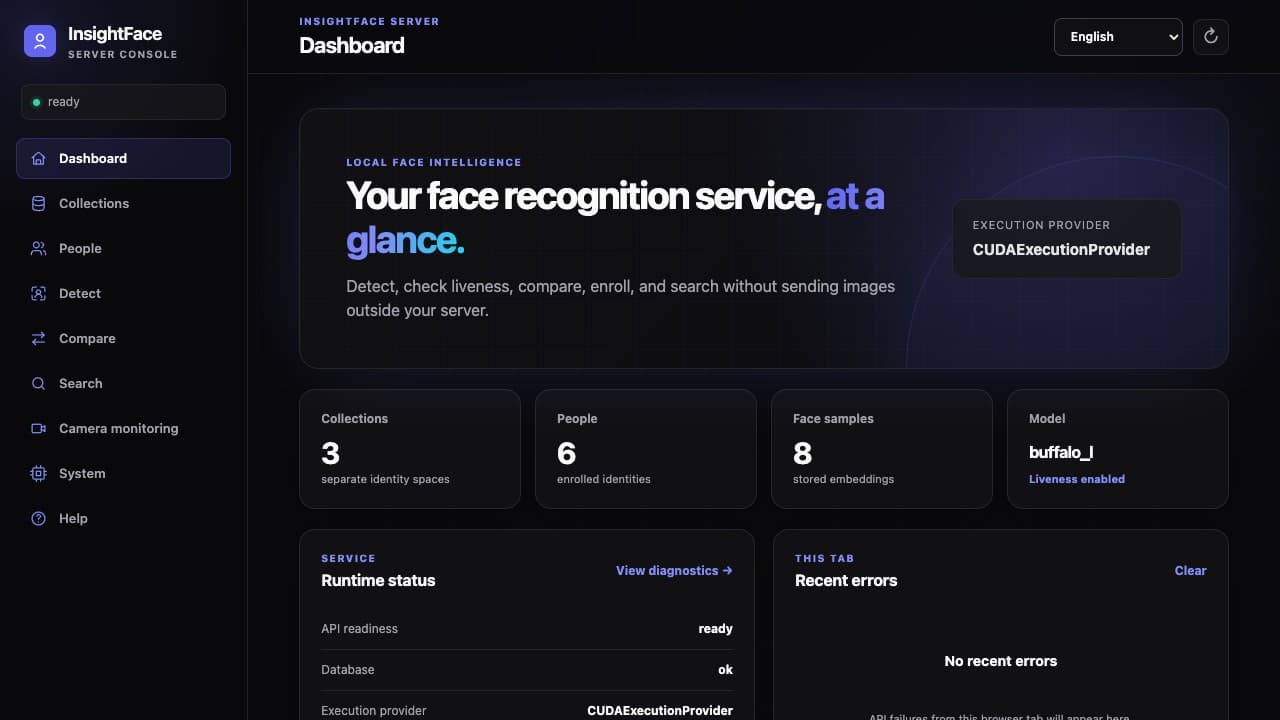
What you will build
Deploy on CPU or CUDA 12 using the Compose files supplied in the repository: pull the image, install a model, and start the service. Liveness is optional and off by default.
Before you start
- Linux x86_64 with Docker Engine, Docker Compose, and Git. The repository includes server/config/server.toml; keep that configuration file.
- For CUDA 12: a supported NVIDIA GPU, NVIDIA Driver, and NVIDIA Container Toolkit. The host does not need the CUDA Toolkit, cuDNN, ONNX Runtime, Python, or OpenCV.
- Network access while pulling the container and installing a model. Normal Server startup can remain offline after the package is installed.
Start with CPU or CUDA 12
Choose one block and run it from the repository root. It uses the supplied Compose file directly; that file selects the image to pull. If you already have the current checkout, skip git clone and enter its root.
After startup, open http://SERVER:18097/ for CPU or http://SERVER:18098/ for CUDA 12. The model installer accepts the model terms with --accept-license; review those terms before running it.
git clone https://github.com/deepinsight/insightface.git
cd insightface
docker compose -f server/deploy/compose.cpu.yml pull server models
docker compose -f server/deploy/compose.cpu.yml run --rm models install buffalo_l --accept-license
docker compose -f server/deploy/compose.cpu.yml up -d --wait --wait-timeout 180git clone https://github.com/deepinsight/insightface.git
cd insightface
docker compose -f server/deploy/compose.cuda12.yml pull server models
docker compose -f server/deploy/compose.cuda12.yml run --rm models install buffalo_l --accept-license
docker compose -f server/deploy/compose.cuda12.yml up -d --wait --wait-timeout 180Complete the first Collection → Person → Search workflow
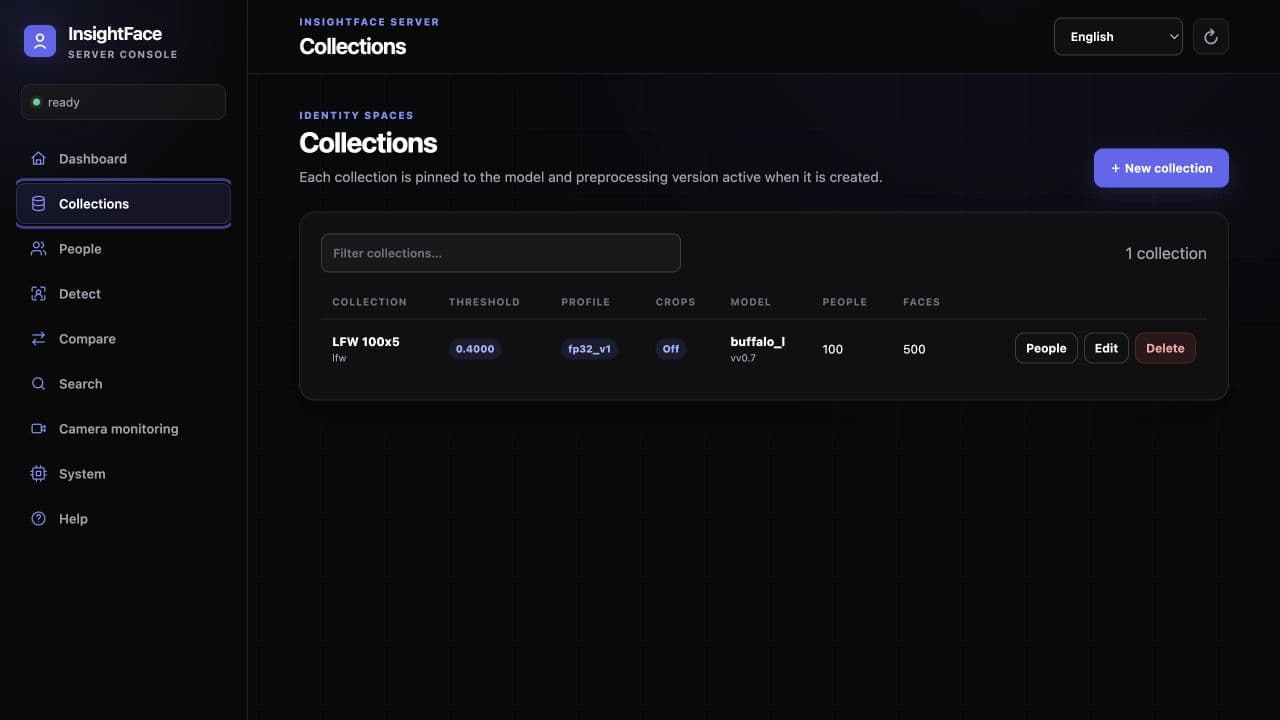
In Collections, create a stable ID such as employees. Choose a search profile advertised by System, set capacity for your memory budget, and begin with the default raw-cosine threshold of 0.4. A Collection is pinned to its model identity, digest, embedding dimension, preprocessing version, and detection profile contract.
In People, select the Collection and register one Person with one or more clear JPEG, PNG, WebP, or BMP photos. Standard review is a useful starting point because it checks that exactly one usable face meets size, confidence, sharpness, brightness, and pose rules. Batch enrollment can partially succeed, so inspect each rejection reason rather than resubmitting the entire batch blindly.
In Search, select the same Collection and upload a different photo of that Person. Results are sorted by raw cosine similarity, and a Person's score is the best score among their FaceSamples. Similarity is not a probability. A successful no-match is an empty list, not a Server error.
- Original uploads are not retained by default. Optional face storage saves a resized 112×112 bounding-box JPEG crop, not the original image or the aligned recognition input.
- Accepted samples are committed to SQLite and added to the in-memory exact index before a successful response returns. The index is rebuilt from SQLite after restart.
- If you use Detect or Compare first, no detected face is a valid empty result for Detect; Compare returns 422 face_not_found when either side has no usable face.
Optional: enable RGB liveness
For a new deployment, append --enable-liveness to the model-install command above. Installation verifies the required models and saves the activation settings before the first startup.
For an existing deployment, use the matching command below, then restart the server. Plain model installation and models addons install liveness only install models; they do not enable liveness.
After installation succeeds, restart the running service. An existing container does not reload saved settings with up -d alone. Liveness remains off by default, and enrollment has its own liveness_on_registration switch.
docker compose -f server/deploy/compose.cpu.yml run --rm models install buffalo_l --accept-license --enable-liveness &&
docker compose -f server/deploy/compose.cpu.yml restart serverdocker compose -f server/deploy/compose.cuda12.yml run --rm models install buffalo_l --accept-license --enable-liveness &&
docker compose -f server/deploy/compose.cuda12.yml restart serverUnderstand the model license boundary
The Server source code and Python SDK are MIT-licensed, but model files and weights are not covered by that MIT license. Public InsightFace model packages, including buffalo_l, are generally limited to non-commercial academic research unless InsightFace has issued a separate commercial authorization; self-hosting the Server does not grant commercial model rights.
Installation writes manifest.json and a signed MODEL.LICENSE into server/.models. Verification checks package identity, the signed license, validity dates, and current authorization. The license identifies the model and permitted use; it is a compliance credential, not DRM and not a checksum of the model files.
The installer supports buffalo_l, buffalo_m, buffalo_s, buffalo_sc, antelopev2, raccoon_s, and raccoon_l. Server uses only detection and recognition from Raccoon, without its PrivateFrame verifier. A model switch requires a compatible Collection and re-enrollment or a separate data migration.
- Without --accept-license, the installer prints the terms and exits without downloading.
- Keep the model files, manifest, and signed license together in the persistent model directory.
- Contact InsightFace before commercial use or when your deployment scope is not covered by the public-model terms.
Secure the service before network exposure
The supplied Compose files default to authentication disabled for isolated evaluation. Before any other user or network can reach the service, enable authentication and set one long, random API key in the deployment secret environment. Restart the chosen stack with those values; the Web UI can keep the key in memory for the current browser tab.
Terminate HTTPS at a trusted reverse proxy, expose only required origins instead of broad CORS, add edge rate/body/time limits, and restrict access to Docker, /data, /models, and backups. Never log images, embeddings, RTSP credentials, or API keys. Treat every stored face artifact as biometric data.
- Phase one has one undifferentiated API key; it is not a multi-tenant authorization system and provides no built-in user accounts or RBAC.
- Starting the same data volume later with a different INSIGHTFACE_API_KEY intentionally rotates the active key.
- The Server does not provide built-in TLS or a legal-compliance layer; deployment controls and lawful processing remain the operator's responsibility.
export INSIGHTFACE_AUTH_ENABLED=true
export INSIGHTFACE_API_KEY='replace-with-a-long-random-secret'
docker compose -f server/deploy/compose.cpu.yml up -d --wait --wait-timeout 180export INSIGHTFACE_AUTH_ENABLED=true
export INSIGHTFACE_API_KEY='replace-with-a-long-random-secret'
docker compose -f server/deploy/compose.cuda12.yml up -d --wait --wait-timeout 180Preserve data, back up, and stop safely
Persist /data, models, and server/config. Back up SQLite and configured face crops together while writes are stopped, or use a SQLite-safe snapshot. Protect these paths and backups as biometric data. Enable API-key authentication and HTTPS before network exposure.
Use the complete down command for the stack you started. Plain down removes containers and the network but preserves the named database volume. Never append -v: docker compose down -v permanently deletes that named data volume.
The supplied containers run as root (0:0), with one writable /models mount and a writable configuration directory. Compose creates the model root, and addon installation creates addons/ as needed. No host UID/GID or manual permission setup is required. The container root filesystem remains read-only.
- Before an upgrade, take a safe snapshot, retain /models and its license files, and test the new image against a copy of the data first.
- After restart or upgrade, check migrations, /v1/health, the model contract, and one known search.
- Deleting a FaceSample removes its embedding and optional crop; deleting a non-empty Collection requires explicit force confirmation.
docker compose -f server/deploy/compose.cpu.yml downdocker compose -f server/deploy/compose.cuda12.yml downUpgrade the deployment
Stop writes and back up the database and any crops first. Update the repository deployment files and merge your custom settings while preserving server/config/server.toml, models, the original project and data-volume names, ports, and API key. Use the matching Compose file below, including your existing overrides and project name if customized.
Pull both images and recreate the server. restart alone does not apply a new image or mount changes. Check health, the execution provider, existing Collections and People, and one known search. Keeping the same recognition model and embedding contract preserves existing samples; switching models is a separate migration. Update the Python SDK from the same current checkout.
docker compose -f server/deploy/compose.cpu.yml pull server models
docker compose -f server/deploy/compose.cpu.yml up -d --no-build --force-recreate --wait --wait-timeout 180 server
curl -fsS http://127.0.0.1:18097/v1/healthdocker compose -f server/deploy/compose.cuda12.yml pull server models
docker compose -f server/deploy/compose.cuda12.yml up -d --no-build --force-recreate --wait --wait-timeout 180 server
curl -fsS http://127.0.0.1:18098/v1/healthDiagnose startup and request failures
Start with the health endpoint, then inspect System and the selected Compose stack's container status and logs. On CUDA, a startup failure is intentional if the Driver, GPU, model sessions, CUDAExecutionProvider, provider audit, or warm-up check fails; there is no silent CPU fallback.
Every response carries x-request-id, and error bodies expose a request_id. Preserve that identifier with the relevant log window when reporting a problem. A 401 unauthorized usually means the current tab has no key or the key was rotated; 409 collection_model_mismatch means the Collection belongs to another model contract; 422 face_not_found means no usable face was selected.
A CUDA deployment must report CUDAExecutionProvider. Startup validates the GPU, Driver, CUDA/cuDNN/ONNX Runtime versions, real detector and recognizer sessions, provider placement, and warm-up inference. It terminates on failure instead of silently falling back to CPU.
- Confirm CPUExecutionProvider or CUDAExecutionProvider on System matches the Compose file you selected.
- Confirm that server/.models contains the verified package and signed license, and server/config/server.toml exists. Model downloads and configuration saves require writable directory mounts.
- For CUDA, fix the host Driver, GPU visibility, or NVIDIA Container Toolkit issue rather than expecting a CPU fallback.
curl -fsS http://127.0.0.1:18097/v1/health
docker compose -f server/deploy/compose.cpu.yml ps
docker compose -f server/deploy/compose.cpu.yml logs --tail=200 servercurl -fsS http://127.0.0.1:18098/v1/health
docker compose -f server/deploy/compose.cuda12.yml ps
docker compose -f server/deploy/compose.cuda12.yml logs --tail=200 serverNeed help with production deployment?
Contact InsightFace for model licensing, runtime optimization, and deployment support for your target hardware.
Submit Enterprise Inquiry