
Self-host face recognition inside your own network.
Turn one Linux container into a complete face recognition backend—detect, compare, enroll, run exact 1:N search, and monitor RTSP/RTSPS cameras through a Web UI, REST API, and Python SDK.


Choose your model path
From evaluation to production without rebuilding your integration.
Use the same self-hosted Server while your model rights and recognition requirements evolve.
Start here
Research evaluation
Validate the Server workflow locally with a public model package under its applicable non-commercial research terms.
Start a local evaluationProduction rights
Commercial public-model license
Keep a familiar public pretrained model and obtain separate authorization for an approved commercial deployment.
Request authorization
Higher accuracy
Private recognition model
Evaluate a higher-accuracy private model on representative data for demanding million- and ten-million-scale 1:N galleries.
Evaluate with your dataTake an authorized model to production
Server and Python SDK code are MIT licensed. For production, license a public model or evaluate a higher-accuracy private model for million- and ten-million-scale 1:N galleries—without changing your Server integration.
Request authorizationOne self-hosted service
Private by architecture, practical by design.
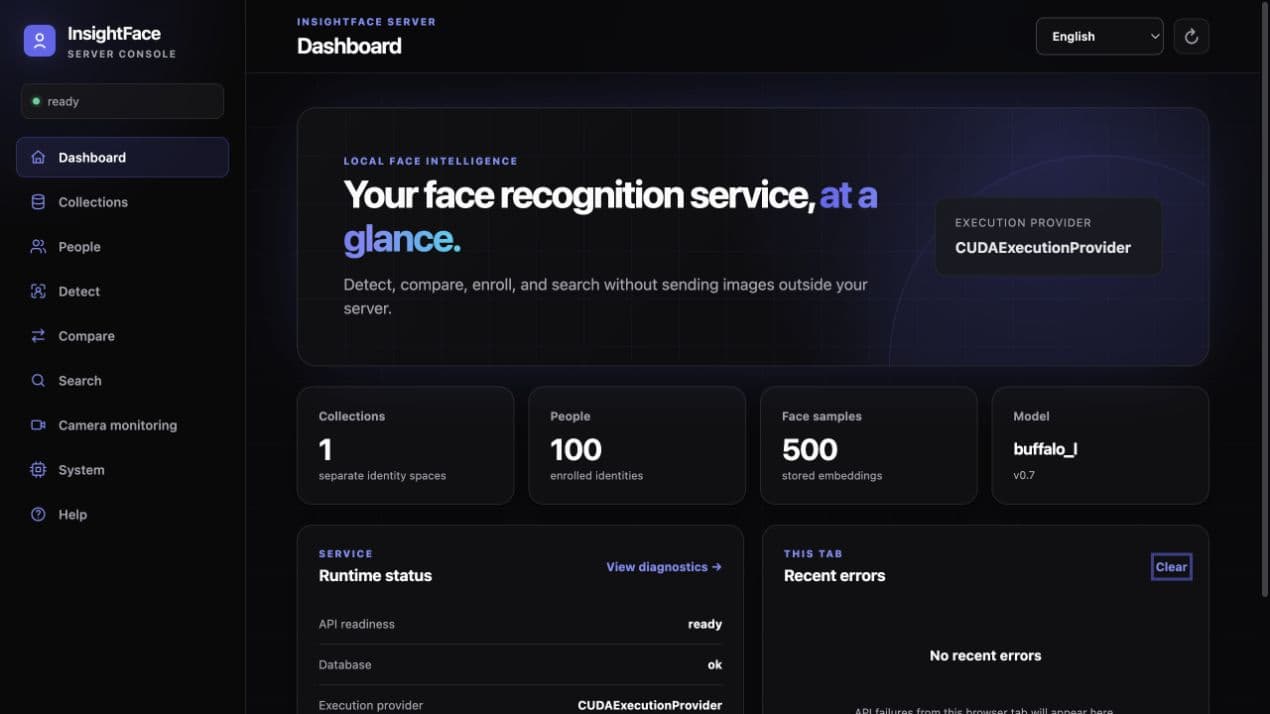
Images, embeddings, models, and indexes can remain inside infrastructure you control. The multilingual console calls the same public API as your applications and uses no CDN, analytics, remote fonts, or third-party JavaScript.
Detect
Return bounding boxes, five landmarks, detector confidence, and local quality signals for JPEG, PNG, and WebP images.
Compare
Compare one selected face from two images with an explicit threshold and a raw cosine similarity—not a probability.
Enroll
Organize identities as Collections, People, and FaceSamples with multi-image enrollment, review modes, and explicit rejection reasons.
Search
Run exhaustive 1:N person search. Each person is ranked by the strongest matching FaceSample above the Collection threshold.
Monitor
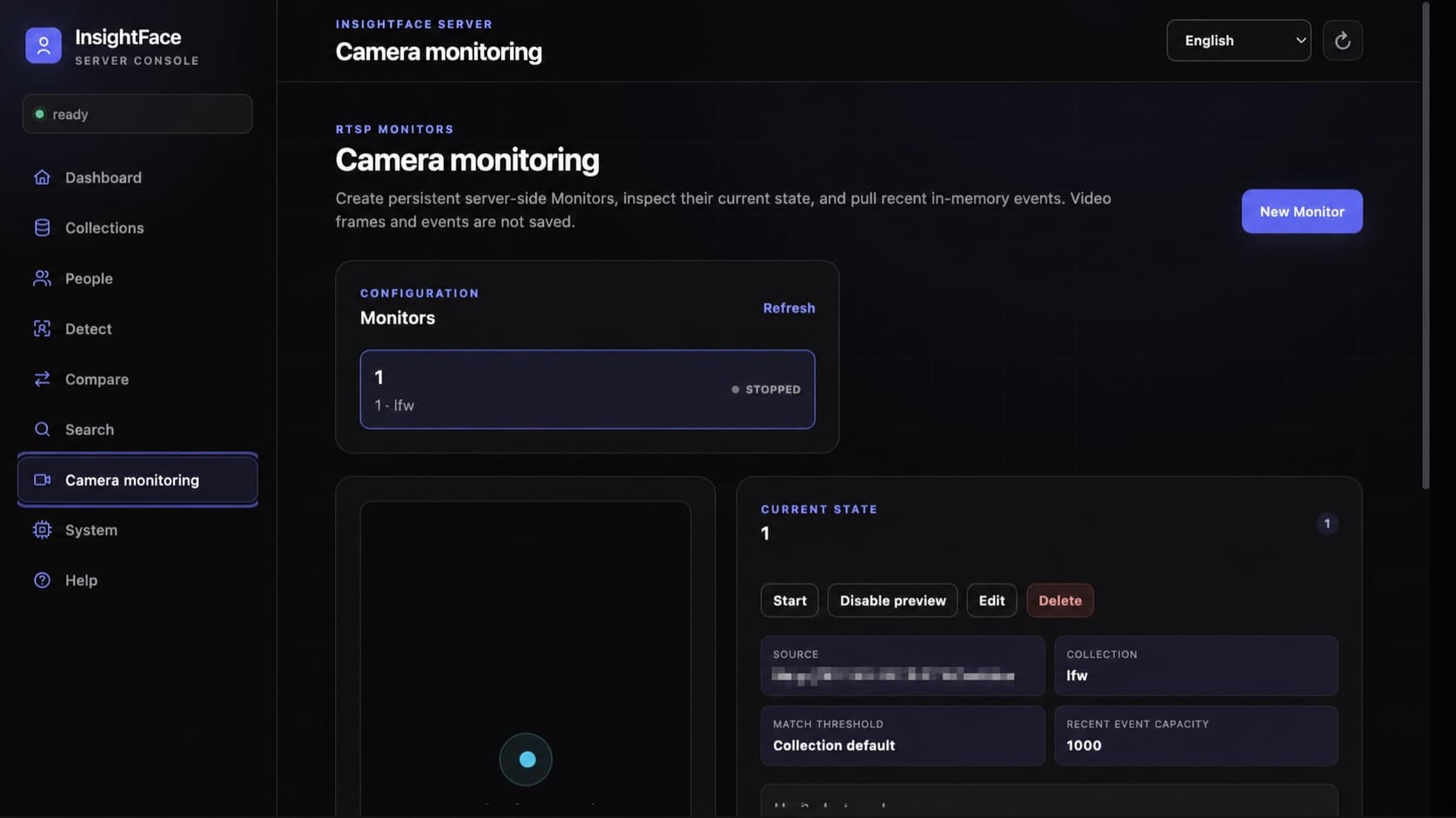
Run persistent RTSP recognition tasks with recent enter, exit, error, and recovery events plus an optional operator preview.
Integrate
Use the Web UI, 29 REST operations, interactive OpenAPI reference, or the lightweight typed Python client.
Quick start
From repository to first exact search.
Choose CPU or CUDA, install a model package, verify readiness, then use the Python SDK to create a Collection, enroll a person, and search.
git clone https://github.com/deepinsight/insightface.git
cd insightface

mkdir -p server/.models
export INSIGHTFACE_MODELS_UID="$(id -u)"
export INSIGHTFACE_MODELS_GID="$(id -g)"

docker compose -f server/deploy/compose.cpu.yml pull

docker compose -f server/deploy/compose.cpu.yml \
  run --rm models install buffalo_l --accept-license

docker compose -f server/deploy/compose.cpu.yml \
  run --rm models verify buffalo_l

docker compose -f server/deploy/compose.cpu.yml \
  up -d --wait --wait-timeout 180

curl -fsS http://127.0.0.1:18097/v1/healthClone and install
Check out InsightFace and install a model package separately from the Server image.
Start one runtime
Use the CPU stack for evaluation or CUDA 12 for GPU search and inference.
Confirm readiness
Check /v1/health, then confirm the database, model, and execution provider are ready.
Run the first search
Create a Collection, enroll one person, and query with a different image through Python.

CPU
Linux x86_64 with Docker Engine and Docker Compose. A practical path for evaluation and moderate workloads.
NVIDIA CUDA 12
Add a supported NVIDIA GPU, driver, and NVIDIA Container Toolkit. Startup fails instead of silently falling back to CPU.
Deployment boundary
Recognition pipeline
From image to ranked match.
The same explicit processing contract powers the console, REST API, Python SDK, and RTSP monitors.
Image or RTSP frame
JPEG, PNG, WebP, or the newest live camera frame.
Multi-resolution SCRFD
Detect faces, merge candidates, and apply one global NMS.
Align and embed
Five-point alignment, ArcFace embedding, and L2 normalization.
Model-bound Collection
Pin the model, preprocessing, detector, threshold, and capacity.
Exact CPU/GPU search
Exhaustively score every live FaceSample in the selected profile.
Person matches
Return ranked people with raw cosine scores and request IDs.
SQLite stays authoritative
The durable database is the source of truth; in-memory exact indexes are rebuildable projections. Accepted enrollments are added to the index before a successful response returns, and deletions are removed from both stores.
Explicit identity contracts
Collections keep models, policies, and data boundaries clear.
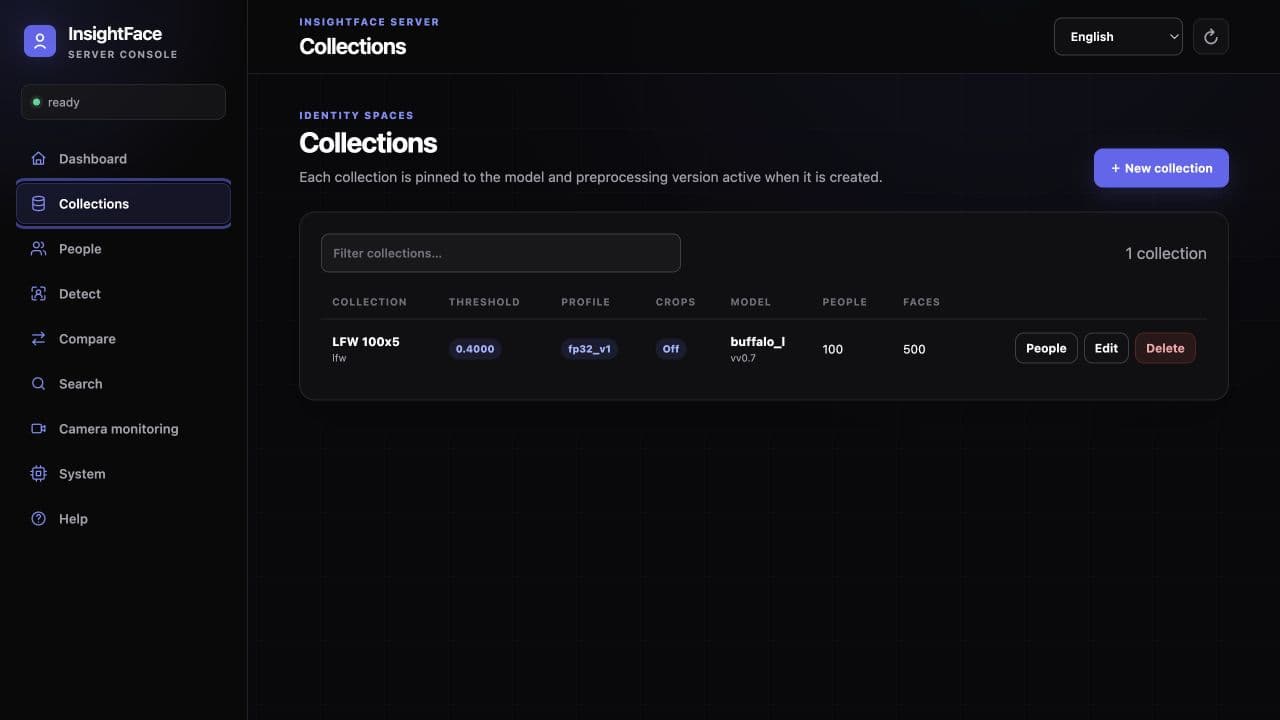
Each Collection pins the model identity, preprocessing version, embedding dimension, detector policy, search profile, capacity, and match threshold. That contract prevents silent mixing when a model or runtime changes.
- Add multiple FaceSamples per person and inspect partial enrollment results instead of losing a whole batch.
- Choose off, standard, or strict review to apply face count, size, sharpness, brightness, pose, and within-person checks.
- Connect a trusted upstream embedding pipeline through the Collection embedding contract; images still pass detection and review.
- Optionally store a 112×112 bounding-box crop per accepted face. Original uploads and aligned recognition inputs are not retained.
Measured search proof
Exact search at single-GPU scale.
Native exhaustive search profiles let you trade vector precision for capacity and throughput without switching to an approximate nearest-neighbor index.
Measured maximum for 512-dimensional vectors on one RTX 5090.
Measured at exactly 10M vectors with one query in flight.
Measured exhaustive Top-5 search throughput at 10M vectors.
Measured INT8 Top-5 throughput multiplier on the same GPU.
| GPU data type | Maximum vectors | 10M Top-5 p50 | 10M serial QPS |
|---|---|---|---|
| FP32 | 15.8M | 12.84 ms | 77.85 |
| FP16 | 30.7M | 6.83 ms | 146.32 |
| BF16 | 30.7M | 6.83 ms | 146.33 |
| INT8 | 58.9M | 3.84 ms | 260.81 |
INT8 feature quantization
No material accuracy loss was observed in the published MR-ALL benchmark.
Measured on one NVIDIA GeForce RTX 5090. Capacity is an isolated native-index ceiling without loaded ONNX models or Server workload. Speed uses exactly 10M 512-dimensional image vectors, exhaustive GPU-resident Top-5, one query in flight, 10 warm-ups, and 100 measured queries. Production deployments must reserve VRAM for models, requests, concurrency, index rebuilds, and allocator headroom. Search is exact within each stored representation; lower-precision storage can still change scores and rankings relative to FP32.
Private models
Large galleries need more than a faster index.
Index capacity solves search scale. Recognition quality at demanding operating points determines whether a large 1:N gallery is usable. Qualified teams can compare a private model with a public-model baseline before licensing.
Use representative, lawfully sourced validation data. Evaluation access and scope are confirmed with qualified teams.
Higher recognition quality
Evaluate difficult image conditions and strict false-match targets on representative data.
Same Server and API
Change the authorized model package without rebuilding your REST or Python integration.
Offline signed authorization
Private packages can use the same manifest and offline signed license format.
Commercial deployment rights
Scope model rights for the approved product, environment, and production use case.
Persistent RTSP monitors
Camera monitoring that runs without the browser.
Create server-side Monitors for RTSP or RTSPS sources, tune inference cadence and event confirmation, then let independent clients poll current state and recent events. Closing the console does not stop recognition, and enabled Monitors resume after a Server restart. Frames are never recorded; recent events are bounded and non-durable, and preview is off by default.
Use recognition as an operator aid, not as the sole control for a high-impact decision. Define consent, retention, deletion, review, and incident-response policies for every deployment.
Operations and security
A clear boundary you can harden.
The Server exposes the state needed to operate a private deployment while keeping secrets, images, embeddings, and credentials out of diagnostics.
Built into InsightFace Server
Readiness and diagnostics
Check service, database, model, provider, capacity, and recent safe error summaries.
Fail-fast CUDA
Validate the real provider, sessions, libraries, GPU compatibility, and warm-up inference at startup.
Durable data boundary
Keep models read-only, persist /data, and rebuild disposable exact indexes from SQLite.
Protected credentials
Hash the API key, encrypt RTSP credentials in /data, and redact sources from responses.
API-only mode
Disable the console and guides while retaining /v1 and /openapi.json for private services.
Complete the production boundary
The bundled Compose files are designed for isolated evaluation. Before exposing a production service, add the controls required by your network and governance model.
Implementation guides
Go from first container to working integration.
Use the focused quick start for your first private deployment, then move to the API and Python SDK workflow when you are ready to connect an application.
Frequently asked questions
Plan your deployment and model license.
The practical answers teams need before evaluation and production.
Is InsightFace Server free to use?+
The Server source code and Python SDK are MIT licensed. Model files have separate terms, so code availability does not grant commercial model rights.
Are recognition models included in the container?+
No. Model packages are installed and verified separately, which keeps model identity, version, and authorization explicit.
Can public InsightFace pretrained models be used commercially?+
Public pretrained model packages are generally limited to non-commercial academic research unless InsightFace grants separate commercial authorization.
Does a private or commercially licensed model require a new integration?+
No. Authorized model packages use the same Server, Web UI, REST API, Python SDK, manifest, and installation workflow.
Can InsightFace Server run offline?+
Yes. After the container image and model package are installed, normal Server startup and operation can stay offline inside your infrastructure.
What does the 58.9M capacity figure mean?+
It is the measured native-index ceiling for 512-dimensional INT8 image vectors on one RTX 5090. It is not a count of people or end-to-end API capacity.
Is 1:N search exact or approximate?+
Search is an exhaustive exact flat search within the selected stored representation, not an approximate nearest-neighbor index.
What deployment hardware is supported?+
The supplied deployment targets Linux x86_64 with either local CPU inference or a supported NVIDIA GPU through the CUDA 12 stack.
Prove the workflow, then choose the right model.
Run your first exact search locally. When you are ready for production, authorize a public model or evaluate a higher-accuracy private model without rebuilding the integration.
Server and SDK code are MIT licensed. Production model rights are licensed separately.